
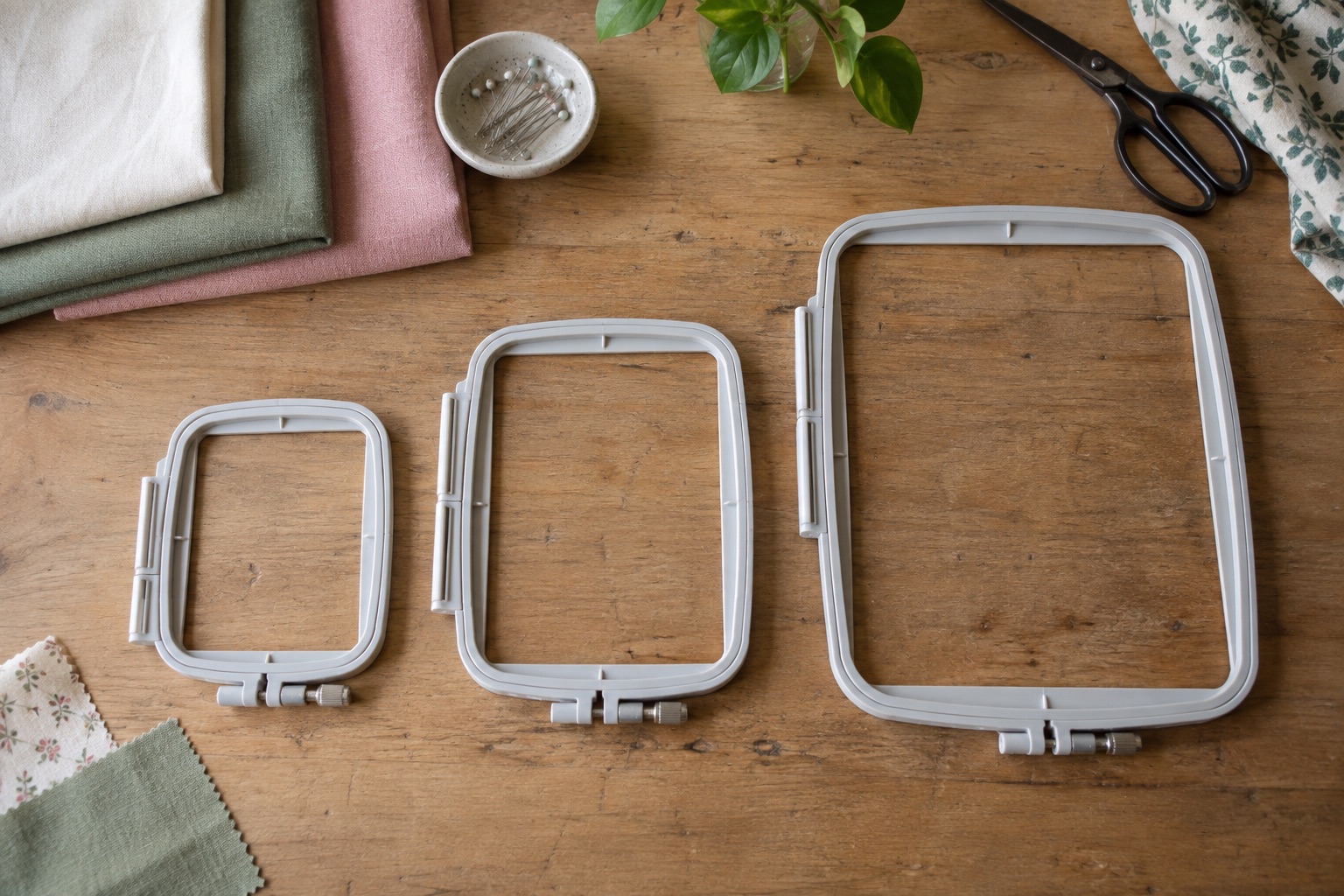
“Hoop size” is used loosely in machine-embroidery listings. It may mean the outside of a plastic frame, the fabric area inside it, an included accessory or the machine's maximum stitchable field. Only the last of these tells you whether a finished design can be stitched in one position. Check the exact model specification rather than comparing pictures of hoops.
Frame, field and finished item are different measurements
The frame is the two-part accessory that holds fabric and stabiliser. Its outside dimensions include plastic and mounting hardware. The stitchable field is the machine's permitted needle travel for a design in that hoop position. The finished item could be a T-shirt, bag or quilt panel much larger than either, provided it can be placed safely without obstructing the carriage.
Design width and height both have to fit. A motif measuring 90 × 110 mm cannot be stitched in a 100 × 100 mm field merely because its area looks modest. Rotate only if the design, fabric direction and placement permit it. Resizing may alter stitch density and quality, so use the file maker's stated limits.
What common beginner fields change
A 100 × 100 mm field suits many names, small pocket or chest motifs, labels and patches. The Brother M330E is an embroidery-only example. It is not a promise that every design sold as “4 × 4” will load unchanged: leave room for placement, check the actual file dimensions and confirm format.
Brother Innov-is M330E
Best for a beginner who already owns a sewing machine and wants a guided, connected route into small motifs, names, labels and monograms.
A compact embroidery-only machine with a 100 × 100 mm field, colour touchscreen, 135 built-in designs, USB and wireless design transfer.
Keep in mind
- The 100 × 100 mm field limits large designs and does not describe the overall size of the project that can be hooped.
- Design files, stabiliser, embroidery needles and thread add to the working budget.
A 140 × 140 mm square accepts wider and taller one-piece motifs. The Janome MC100E includes this size. It has nearly twice the square area of a 100 mm field, but it is not automatically a better buy for someone whose work is all small monograms. Larger frames also require more stabiliser and operating clearance.
Janome Memory Craft 100E
Best for a beginner who values a larger square design field over wireless transfer and already has a separate machine for ordinary sewing.
An embroidery-only machine with a 140 × 140 mm included hoop, 274 built-in designs, colour screen, USB transfer and a swing-out embroidery arm.
Keep in mind
- It is heavier than the compact Brother options and needs clearance for the swing-out arm.
- USB transfer is practical but less seamless than a wireless app workflow.
A 180 × 130 mm rectangle, as on the Brother F580, favours wide designs but is still only 130 mm tall in one position. That matters for tall vertical motifs. Brother includes a large frame and a multi-position frame with the F580; the multi-position method needs compatible design planning and is not the same as a larger single-position field.
Brother Innov-is F580
Best for a sewist who will use both functions regularly and needs more design room and sewing workspace than a compact combination machine provides.
A combined machine with a 180 × 130 mm embroidery field, 190 mm sewing workspace, wireless transfer, adjustable foot pressure and an included walking foot.
Keep in mind
- It is a substantial investment and takes more permanent table space than the M380D.
- One machine still cannot sew while embroidery is running; changing modes remains part of the workflow.
Check placement on the actual garment
Measure the motif at finished size, then draw its centre and bounds on a paper template. Place that template on the garment while it is worn or laid as it will hang. A design fitting a hoop may still sit too close to a pocket, armhole or bag seam. For a small sleeve or finished bag, also check whether the item can lie clear of the needle and moving frame without an unwanted second layer underneath.
Do not stretch jersey to fill a hoop. Stretching it during hooping can make a finished motif pucker when the fabric relaxes. Use a suitable stabiliser and a machine-supported hooping or floating method, following the exact manual. Practice on a spare piece of the same cloth before decorating the finished garment.
A bigger accessory cannot create a bigger machine field
Hoops are model-specific. Check the manufacturer's compatibility listing, how the frame attaches, and whether the machine recognises the size. Third-party “fits Brother” or “fits Janome” claims are too broad because mount designs and accepted sizes differ by series. If an extra hoop exceeds the permitted field, it may help position material or support a multi-position technique but cannot make a single oversized design stitch as-is.
Software may split a large image across two hoopings. That adds registration and alignment steps, especially on stretchy fabric or dense fills. Treat it as an advanced workflow, not a workaround to justify buying a field that is too small for your routine work.
A five-minute buying check
- List five projects you will actually make and measure each finished design's width and height.
- Identify the largest dimension in each direction; count how often it exceeds 100 mm and 140 mm.
- Check the exact machine's maximum field and which compatible frame is included in the UK package.
- Measure your table with the embroidery unit attached and the hoop at its furthest travel.
- Check file format, design licence and available stabiliser for each fabric.
If only one aspirational project needs a huge field, it may be more sensible to have that design stitched professionally than to make every home project pay for a larger machine.
Frequently asked questions
Does a larger hoop improve stitch quality?
No. A hoop changes usable area and handling. Stitch quality depends on design digitising, fabric, stabilisation, thread, needle and setup. Use an appropriately sized compatible hoop rather than a large frame by default.
Can I embroider a large T-shirt on a 100 mm machine?
Yes, if the design itself fits the field and the shirt can be safely arranged without stitching through an unintended layer. Item size and design size are separate.
Is a 180 × 130 mm field bigger than 140 × 140 mm?
Its area is larger, but the shapes suit different designs: one is wider, the other allows a taller square motif. Compare both dimensions, not area alone.
Sources
Field and included-frame examples use official Brother M330E, Brother F580 and Janome MC100E specifications.